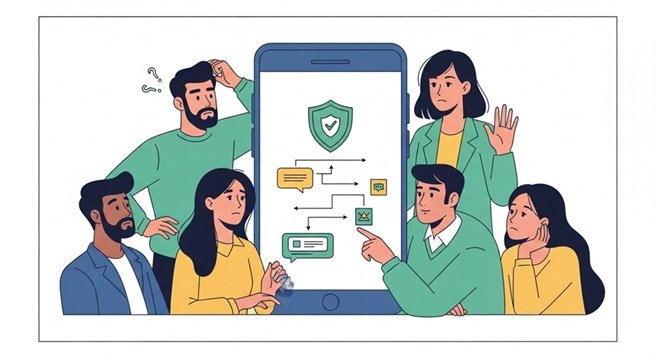
Digital payments have made everyday transactions faster and more convenient. From splitting bills to paying at local stores, UPI has become a preferred choice for millions of users. However, while using a payment app, it is important to follow best practices to ensure safety, accuracy, and a smooth experience.
Avoiding common mistakes can help you make the most of your Lite payment app while keeping your transactions secure and hassle-free.
1. Not Verifying Payment Details
One of the most common mistakes is rushing through a transaction without checking the details. While using a UPI platform, always verify the recipient’s name, ID, or QR code before confirming the payment. Even a small error can result in money being sent to the wrong account.
2. Ignoring App Security Features
A reliable new UPI payment app comes with built-in security features such as PIN authentication and device verification. Ignoring these or setting weak credentials can put your account at risk. Always use strong authentication methods and never share your PIN with anyone.
3. Using Public Networks for Transactions
Making payments over unsecured public Wi-Fi can expose your data. When using a Lite payment app, ensure you are on a secure network to prevent unauthorised access or data breaches.
4. Overlooking Transaction Notifications
Many users ignore real-time alerts from their app. These notifications help you track every transaction and identify any suspicious activity. Always review alerts to stay informed about your account activity.
5. Not Updating the App Regularly
Using an outdated payment app can lead to performance issues and potential security vulnerabilities. Regular updates ensure better functionality, improved security, and access to the latest features.
6. Misunderstanding Request Notifications
A common mistake is confusing payment requests with incoming funds. On a UPI Lite payment app, a “collect request” means someone is asking you to send money, not that you are receiving it. Always read notifications carefully before approving any request.
7. Skipping Balance Checks
Before making a payment, it is important to check your account balance. A reliable platform allows you to view your balance instantly. Skipping this step may lead to failed transactions or confusion during payments.
8. Making Multiple Rapid Attempts
If a transaction fails, repeatedly attempting it without checking the status can create confusion or duplicate payments. When using a new UPI payment app, always verify whether the payment was processed before trying again.
9. Not Tracking Payment History
Ignoring transaction history can make it difficult to manage your expenses. A Lite payment app provides detailed records of all payments, helping you stay organised and monitor your spending patterns effectively.
10. Sharing Sensitive Information
Sharing personal details such as UPI ID, OTP, or PIN is a major security risk. No legitimate UPI service will ask for such information. Always keep your credentials private to avoid fraud or unauthorised transactions.
Why Avoiding These Mistakes Matters?
Here’s why avoiding the above-mentioned mistakes is important:
- Enhances the overall safety of your UPI transactions.
- Reduces the chances of payment errors and financial loss.
- Helps maintain better control over your spending habits.
- Ensures a smooth and uninterrupted payment experience.
- Builds confidence while using a new payment app.
- Makes small transactions quicker and more efficient with a UPI Lite payment app.
Conclusion
Using a Lite payment app is a convenient way to handle everyday transactions, but it requires careful usage to ensure safety and accuracy. Avoiding common mistakes such as failing to verify details, ignoring security features, or misunderstanding requests can significantly improve your experience. A secure and well-managed UPI approach helps you enjoy seamless payments with confidence.
Bajaj Finserv UPI and Lite enhance this experience by allowing users to scan any QR code, pay to contacts, check their balance, view payment history, and pay bills effortlessly. With a user-friendly interface and reliable features, it provides a safe and efficient way to manage your digital payments every day.